Multiple Forms
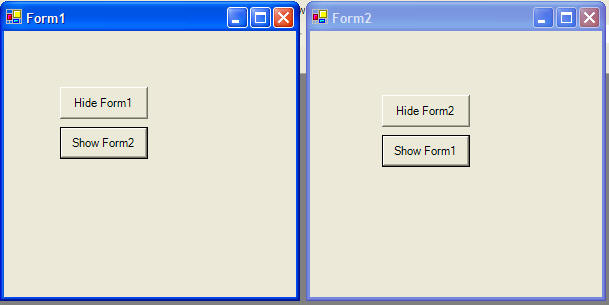
Here is the code for an example program that looks like this:
You can create multiple windows and easily move between them, hiding and showing each window.
 |
Download the code by clicking on the Zip file. |
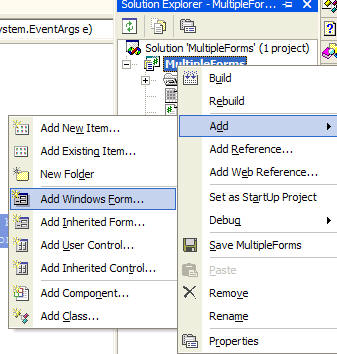
Add a second form to your project by right clicking on the project name in the Solution Explorer. Choose Add and Add Windows Form.
Add a couple buttons to each form.
Here's the code for Form1:
// be careful, if you hide all of the
windows, your program will still be
// running with no visible windows, you'll have to click the stop button to end
the program
private void button1_Click(object sender, System.EventArgs e)
{
// hide the current form, this refers to Form1
this.Hide();
}
private void button2_Click(object sender, System.EventArgs e)
{
// create an instance of form2
Form2 f2 = new Form2();
// show form2
f2.Show();
// store a reference to the main form
so we can show/hide it from form2
f2.f1 = this;
}
Here's the code for Form2:
// create a variable
to save a reference to the main form (form1)
public Form f1;
private void button2_Click(object sender, System.EventArgs e)
{
// show form1
f1.Show();
}
private void button1_Click(object sender, System.EventArgs e)
{
// hide this form
this.Hide();
}