
Drag n' Drop
|
Download a sample VB program that performs drag and drop. |
Instructions for Creating the Example:
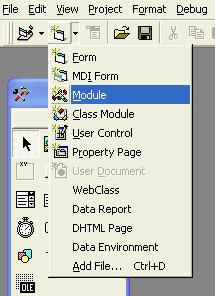
 on
your form and name it movingTimer.
on
your form and name it movingTimer.Private Sub movingTimer_Timer()
mMove.ToNewPosition
End Sub
mMove.Initialize movingTimer ' where MovingTimer is the name of the timer on the form
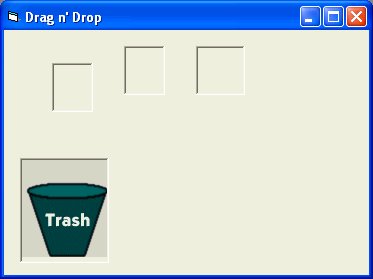
Private Sub picObject_MouseDown(Index As Integer, Button As Integer, Shift As Integer, X As Single, Y As Single)
' start movement of object
If Button = 1 Then mMove.Begin Me.ActiveControl, X, Y
End Sub
Private Sub picObject_MouseMove(Index As Integer, Button As Integer, Shift As Integer, X As Single, Y As Single)
' move object
If Button = 1 Then mMove.InProgress X, Y
End Sub
Private Sub picObject_MouseUp(Index As Integer, Button As Integer, Shift As Integer, X As Single, Y As Single)
' stop moving object
If Button = 1 Then mMove.EndIt
End Sub
Public Function checkTrashCollision(X As Integer, Y As Integer) As Boolean
' check if top left corner is inside the trash can
If X > picTrash.Left And X < picTrash.Left + picTrash.Width Then
If Y > picTrash.Top And Y < picTrash.Top + picTrash.Height Then
checkTrashCollision = True
End If
End If
End Function
' bring on top of all other objects
picObject(Index).ZOrder
Private Sub picObject_MouseMove(Index As Integer, Button As Integer, Shift As Integer, X As Single, Y As Single)
' move object
If Button = 1 Then mMove.InProgress X, Y
' see if the top left corner of the object is inside the trash can
If checkTrashCollision(picObject(Index).Left, picObject(Index).Top) = True Then
' make the object disappear
picObject(Index).Visible = False
End If
End Sub
