
Loading Pictures in a Picture Box
|
Download a sample VB program that loads pictures in a picture box. |
Instructions for Creating the Example:
 , a
picture box
, a
picture box  ,
and a listbox
,
and a listbox  .
Select them from the toolbar and then draw a rectangle on the
form.
.
Select them from the toolbar and then draw a rectangle on the
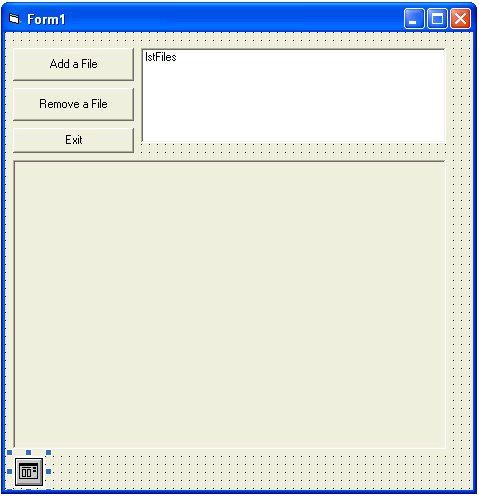
form. | Command Button 1 | Command Button 2 | Command Button 3 | Picture Box | Listbox | |
| Name | cmdAddFile | cmdRemoveFile | cmdExit | picSlide | lstFiles |
| Caption | Add a File | Remove a File | Exit | n/a | n/a |
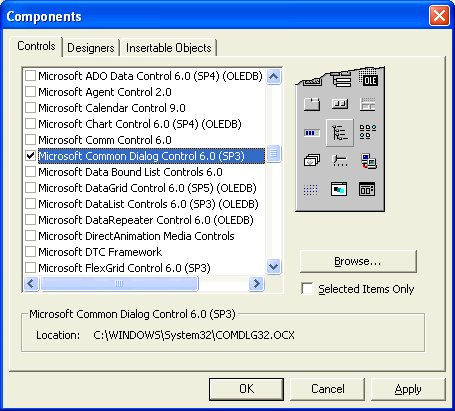
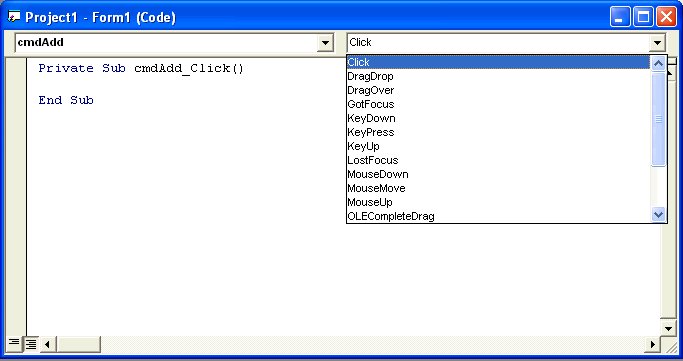
Private Sub cmdAdd_Click()
' open a common dialog to select a file
CommonDialog1.DialogTitle = "Select picture"
CommonDialog1.Filter = "jpeg (*.jpg)|*.jpg|bmp (*.bmp)|*.bmp"
CommonDialog1.FilterIndex = 0
CommonDialog1.ShowOpen
' make sure a file was selected by checking if the file does NOT equal nothing
If CommonDialog1.FileName <> "" Then
' add the picture filename to our list box
lstFiles.AddItem CommonDialog1.FileName
End If
End Sub
Private Sub cmdExit_Click()
End
End Sub
Private Sub cmdRemoveFile_Click()
' check that an item in the list is selected
If lstFiles.ListIndex <> -1 Then
lstFiles.RemoveItem lstFiles.ListIndex
Else
' display a message box for help
MsgBox "Please select an item in the list first, then click remove.", vbOKOnly, "Remove Item"
End If
End Sub
Private Sub lstFiles_DblClick()
' load a picture in the picture box if
someone DOUBLE clicks an item in the listbox
' the filename is the currently selected item in the listbox
picSlide.Picture = LoadPicture(lstFiles.List(lstFiles.ListIndex))
End Sub
 in the toolbar under the menu.